What Multi‑Agent Orchestration Changes for Teams Shipping With Coding Agents
A practical look at how to use a “conductor” model to coordinate multiple coding agents, where it helps, and where it breaks for real engineering teams.
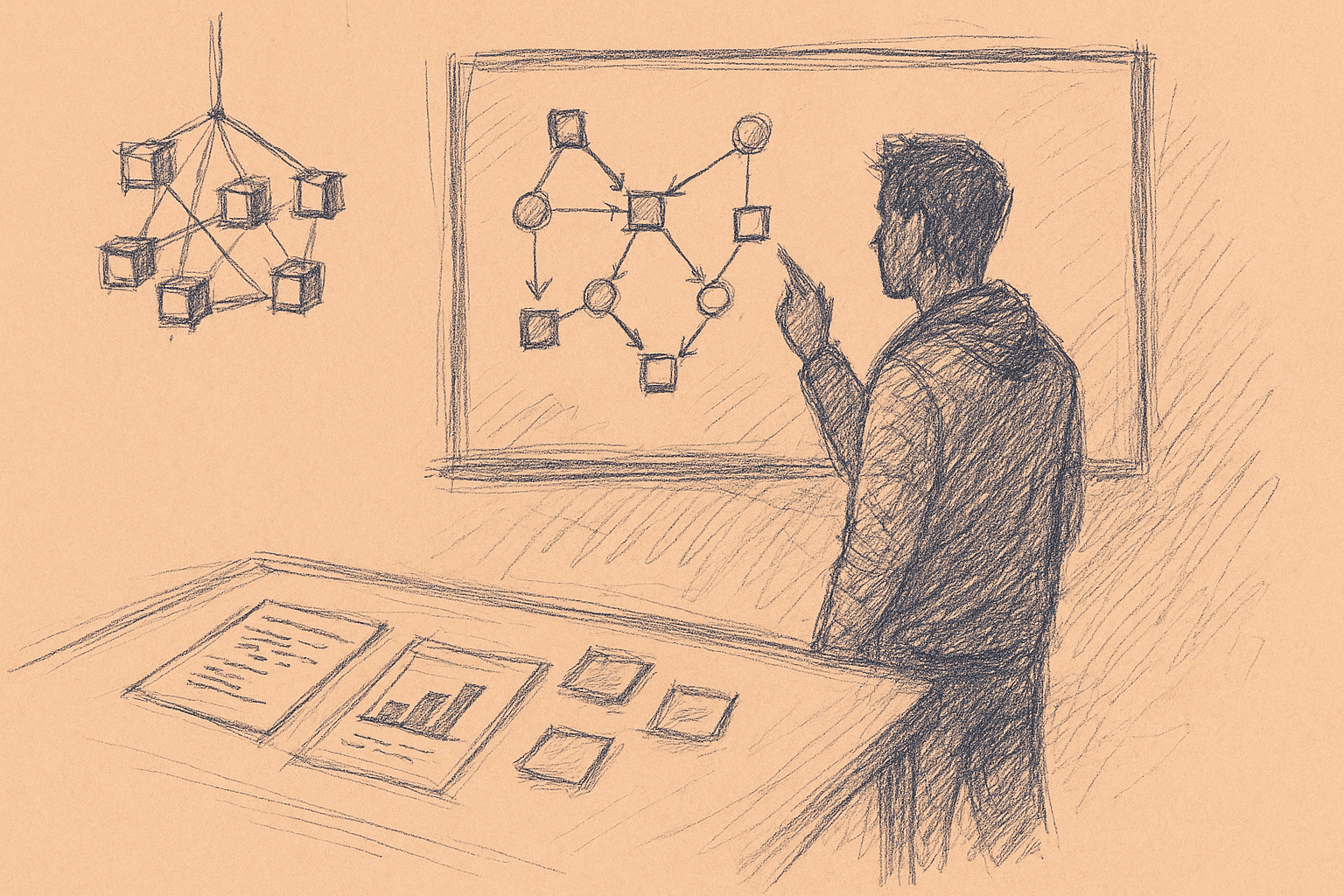
Teams working with coding agents keep asking the same thing:
If one strong model ("Opus 4.6") plans and smaller models ("Codex 5.3") execute, what changes in how we ship software?
Treat those names as placeholders:
- Opus 4.6 → stronger, slower, pricier model acting as planner/orchestrator.
- Codex 5.3 → cheaper, faster models acting as coding agents.
This piece focuses on:
- When orchestration helps.
- Patterns you can implement now.
- How to wire this into a repo and CI.
- Likely failure modes and costs.
Where vendor details are fuzzy, the guidance stays general and marks uncertainty.
1. Why Multi‑Agent Orchestration Exists At All
Most teams start with a single coding assistant:
- You prompt it in an IDE.
- It edits a file or suggests a patch.
- You review, run tests, repeat.
This works, but it hits limits:
- Context window pressure: large repos, many files, long histories.
- Task switching: re‑explaining goals across files.
- Parallelism: big refactors or features that could be split.
Multi‑agent orchestration separates roles:
- A planner/orchestrator model holds the global picture.
- Multiple worker agents handle local coding tasks.
You trade more complexity for better decomposition, parallelism, and reuse of context.
It is a different architecture with different bottlenecks, not a guaranteed speedup.
2. Core Pattern: Conductor + Coding Agents
At a high level, the pattern looks like this:
- You describe a goal ("Add OAuth login", "Migrate to new logging library").
- Conductor (Opus‑like model) turns that into a plan:
- Breaks it into steps.
- Assigns steps to agents.
- Tracks state and dependencies.
- Coding agents (Codex‑like models) execute steps:
- Read relevant files.
- Propose patches.
- Run tests or tools.
- Conductor reviews results:
- Accepts or rejects patches.
- Requests fixes.
- Decides when the overall task is done.
You can implement this with any LLM stack that supports:
- Function/tool calling.
- Streaming or batched calls.
- Access to your repo and test tools.
No special multi‑agent product is required.
3. When Orchestration Actually Helps
Given current capabilities (2024–2025), orchestration tends to help in these cases.
3.1 Large, Structured Changes
Examples:
- Replace one logging library across hundreds of files.
- Introduce a new feature that touches backend, frontend, and infra.
- Apply consistent API changes across multiple services.
Why it helps:
- The conductor keeps a global checklist.
- Worker agents operate on disjoint file sets in parallel.
- Global constraints (for example, a new logging format) stay consistent via the plan.
3.2 Repetitive, Template‑Like Work
Examples:
- Generating CRUD endpoints from a schema.
- Creating boilerplate tests for many similar modules.
- Applying the same refactor pattern across a codebase.
Why it helps:
- The conductor defines the pattern once.
- Agents apply it with local adjustments.
3.3 Long‑Running Tasks You Don’t Want in Your Head
Examples:
- Incremental migration from one framework to another.
- Gradual tightening of lint rules or type coverage.
Why it helps:
- The conductor keeps a task ledger over time.
- You can resume work without re‑explaining everything.
3.4 Where It Usually Doesn’t Help
- Tiny edits (one‑file bugfixes).
- Highly ambiguous product work where requirements are still moving.
- Deep algorithmic work where human insight is the bottleneck.
In these cases, a single strong model plus a human is usually simpler and faster.
4. A Minimal Orchestrated Setup (Step‑By‑Step)
Here is a minimal pattern you can implement with any LLM API.
Assumptions:
- You have a repo on disk.
- You can call a strong model and a cheaper model via API.
- You can run tests or linters via shell commands.
4.1 Define Agent Roles
Start with three roles:
-
Conductor
- Input: high‑level task description, repo summary, tool outputs.
- Output: ordered list of steps, each with:
- Goal.
- Target files or directories.
- Acceptance criteria.
-
Coder (worker agent)
- Input: step description, relevant files, tests.
- Output: patch (diff) and notes.
-
Reviewer (can be the same model as the conductor, but with a separate prompt)
- Input: patch, step description, test results.
- Output: accept/reject, comments, follow‑up steps.
4.2 Implement Tools
You need a small set of tools the agents can call:
list_files(pattern)→ list candidate files.read_file(path)→ return file contents.write_file(path, new_contents)orapply_patch(diff).run_tests(command)→ return stdout/stderr and exit code.
These can be thin wrappers around your filesystem and shell.
4.3 Conductor: Plan Generation
Prompt the conductor with:
- High‑level goal.
- Repo summary (generated once via static analysis or embeddings).
- Tool schema (what it can ask for).
Ask it to output a structured plan, for example JSON:
{
  "steps": [
    {
      "id": "step-1",
      "title": "Identify authentication entrypoints",
      "targets": ["/src/auth", "/src/routes"],
      "acceptance": "List of files and functions that handle login"
    },
    {
      "id": "step-2",
      "title": "Implement OAuth provider integration",
      "targets": ["/src/auth"],
      "acceptance": "New provider wired with tests passing"
    }
  ]
}
The structure does not need to be perfect. It just needs to be stable enough that your orchestrator code can:
- Iterate steps.
- Dispatch them to coders.
- Track completion.
4.4 Dispatch Steps to Coding Agents
For each step:
- Use
list_filesandread_fileto gather relevant context. - Call the Coder model with:
- Step description.
- File contents.
- Any constraints (style, patterns, security rules).
- Ask it to output a unified diff or a structured patch.
- Apply the patch in a scratch branch or working directory.
4.5 Automatic Review Loop
After applying a patch:
- Run
run_tests(or a subset relevant to the change). - Call the Reviewer with:
- Step description.
- Patch.
- Test results.
- If rejected, let the reviewer propose a follow‑up step or a retry.
- If accepted, mark the step as done.
You can implement this as a simple state machine:
PENDING→IN_PROGRESS→DONEorFAILED.
4.6 Human Checkpoints
Insert explicit human gates:
- After plan generation: you approve or edit the plan.
- After each major milestone: you review a summary of changes.
- Before merge: you review the final diff.
This keeps the system from drifting without anyone noticing.
5. Patterns for Real Teams
Here are patterns that tend to work for teams beyond a single developer.
5.1 Orchestrator as a CI‑Like Service
Treat the orchestrator as a service that:
- Watches for labeled issues or PR comments (for example,
@agent: refactor-logging). - Spins up a plan and agents.
- Pushes branches or PRs back to your repo.
Benefits:
- Fits existing Git workflows.
- Gives a clear audit trail (branches, commits, PR comments).
Costs:
- You need to manage concurrency and rate limits.
- You need observability (logs, traces) for agent runs.
5.2 Scoped Workspaces Per Task
For each orchestrated task:
- Create a temporary workspace (branch or ephemeral clone).
- Run all agent work there.
- Only merge after human review.
This reduces the risk of agents stepping on each other or on active human work.
5.3 Role Specialization
You can define multiple coder roles:
- BackendCoder: prompt and examples tuned for backend code.
- FrontendCoder: tuned for UI frameworks.
- InfraCoder: tuned for IaC, Docker, CI configs.
The conductor chooses which role to assign per step.
This is mostly prompt design and tool selection. It keeps responses on‑domain.
5.4 Tool‑Aware Planning
Make the conductor aware of:
- Which tests are cheap vs expensive.
- Which directories are high‑risk (core infra, security‑sensitive).
- Which changes require extra review.
Then encode rules like:
- Always run full tests for changes under
/core. - Only allow one concurrent agent touching
/infra. - Require human approval for schema migrations.
Enforce these rules in your orchestrator code, not only in prompts.
6. Tradeoffs and Limitations
Multi‑agent orchestration has real costs.
6.1 Latency and Cost
- Multiple models → more API calls.
- Planning + review + coding + tests → longer wall‑clock time.
You can mitigate by:
- Parallelizing independent steps.
- Using cheaper models for simple work.
- Caching repo summaries and embeddings.
For small tasks, this overhead usually dominates.
6.2 Error Propagation
If the conductor makes a bad plan:
- Agents can execute it correctly and still produce useless work.
If a coder misinterprets a step:
- The conductor may not catch subtle semantic errors.
Mitigations:
- Keep tasks narrow and well‑specified.
- Use tests and linters as hard constraints.
- Insert human review at key checkpoints.
6.3 Coordination Complexity
You now have to manage:
- Agent lifecycles.
- Shared state (which files changed, which tests ran).
- Conflicts between agents.
This is engineering work. It can pay off for recurring patterns, but not for one‑off experiments.
6.4 Context and Memory Limits
Even with a conductor, models still have:
- Finite context windows.
- Limited ability to remember long histories.
You will likely need:
- Summarization: compressing past steps into short notes.
- External memory: storing plan state, decisions, and rationales in a database or files.
These add more moving parts.
6.5 Security and Compliance
If your agents can:
- Run shell commands.
- Modify infra configs.
You must treat them like any automation:
- Limit permissions (principle of least privilege).
- Log all actions.
- Gate sensitive operations behind human approval.
There is little public data on long‑term security incidents from coding agents. Treat this as an active risk area, not a solved problem.
7. Practical Implementation Checklist
If you want to try this with your team, here is a pragmatic rollout.
7.1 Week 1: Single‑Agent, Tool‑Rich Setup
Goal: get one strong model working reliably with tools.
- Implement tools:
list_files,read_file,apply_patch,run_tests. - Wire them into a single LLM agent.
- Use it for one‑file or small multi‑file changes.
- Add logging for all actions and prompts.
Do not add multiple agents yet.
7.2 Week 2: Add a Simple Conductor
Goal: separate planning from execution.
- Introduce a planner call that:
- Takes a human goal.
- Produces 3–10 steps with targets and acceptance criteria.
- Keep a single coder agent executing steps sequentially.
- Add a reviewer step that checks patches and tests.
Measure:
- How often plans need human correction.
- How often the reviewer catches real issues.
7.3 Week 3–4: Parallelize and Specialize
Goal: add more agents where it clearly helps.
- Identify tasks that naturally split (for example, per directory or service).
- Allow the conductor to mark steps as parallelizable.
- Spin up multiple coder agents for those steps.
- Add role‑specific prompts for backend/frontend/infra.
Guardrails:
- Prevent two agents from editing the same file concurrently.
- Serialize changes to high‑risk areas.
7.4 Ongoing: Tighten Feedback Loops
- Track metrics: success rate per step, test failure rate, human rework.
- Capture post‑mortems for failed runs.
- Refine prompts and rules based on real failures.
Over time, you will learn where orchestration is worth the overhead for your codebase.
8. How This Changes Team Workflows
If you adopt a conductor + agents pattern, expect some shifts.
8.1 From “Write Code” to “Define Workflows”
Engineers spend more time on:
- Defining clear tasks and constraints.
- Designing safe tool interfaces.
- Reviewing and curating agent output.
Hands‑on coding does not disappear, but it becomes more surgical:
- Humans handle ambiguous or high‑risk parts.
- Agents handle repetitive or mechanical parts.
8.2 Planning Becomes a First‑Class Artifact
The conductor’s plan is:
- A machine‑readable spec of what will change.
- A natural place for humans to intervene.
You can store plans alongside code:
- As YAML/JSON in the repo.
- As records in your issue tracker.
This makes refactors and migrations more reproducible.
8.3 Code Review Shifts Upstream
Instead of reviewing every line of agent‑generated code in detail, you may:
- Review the plan and constraints more heavily.
- Spot‑check representative patches.
- Rely on tests and static analysis for the rest.
This only works if your tests and static checks are strong. If they are weak, orchestration will amplify that weakness.
8.4 New Failure Modes
You gain new ways to fail:
- A bad plan that is executed flawlessly.
- Conflicting changes from parallel agents.
- Silent drift in infra or security posture.
These are manageable, but they require:
- Observability into agent actions.
- Clear rollback paths.
- Cultural norms that treat agents as fallible collaborators.
9. Where This Is Still Uncertain
Some aspects of multi‑agent orchestration are not well understood yet:
- Long‑term maintainability: there is little public data on teams running orchestrated agents for years.
- Optimal granularity of steps: how small or large steps should be for best throughput is still mostly anecdotal.
- Best division of labor between humans and agents: this varies by team, codebase, and model quality.
Treat experimentation as an iterative engineering problem:
- Start small.
- Measure.
- Adjust.
10. Summary
Multi‑agent orchestration is a way to:
- Use a strong model as a conductor that plans and coordinates.
- Use cheaper models as workers that apply changes and run tools.
It helps most when you:
- Have large, structured, or repetitive changes.
- Can encode strong constraints via tests and tools.
- Are willing to invest in orchestration infrastructure.
It hurts when you:
- Apply it to tiny tasks.
- Lack tests or static checks.
- Treat agents as infallible.
For engineering teams, the main shift is mindset:
- From “ask the model for a snippet” to
- “Design a workflow where models, tools, and humans each do what they are best at.”
The conductor + agents pattern is one concrete way to do that.
Want to learn more about Cursor?
We offer enterprise training and workshops to help your team become more productive with AI-assisted development.
Contact Us