Use Cursor Skills in Team Repos
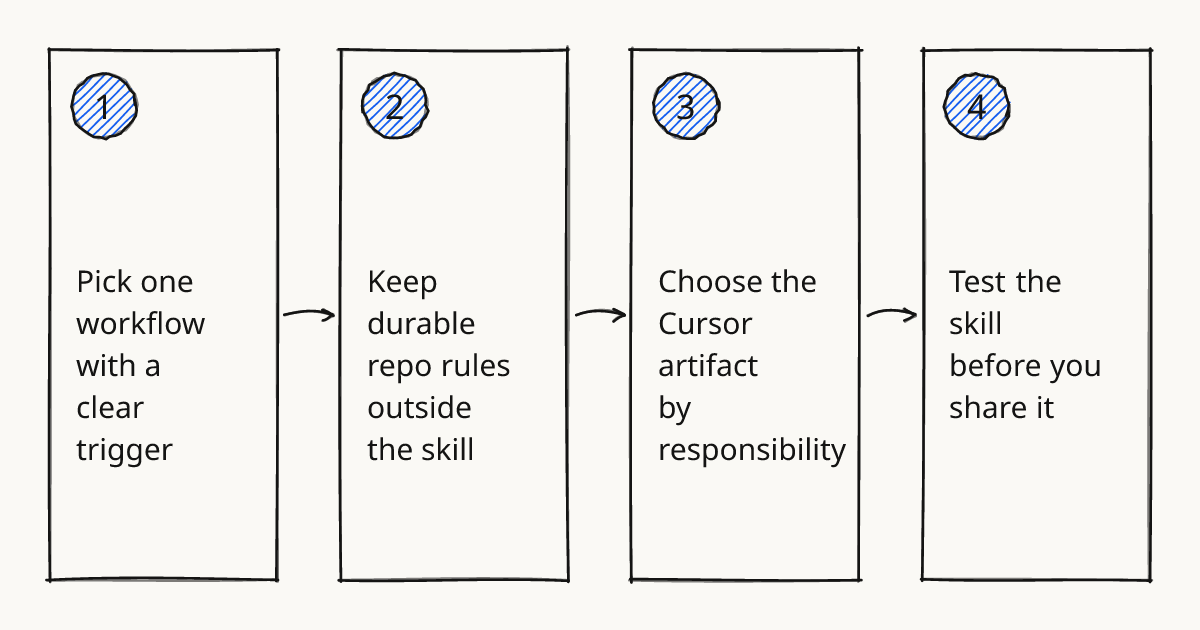
Start smaller than the feature menu suggests. Cursor skills are useful when one team workflow keeps repeating, such as reviewing a database migration, preparing a PR, or writing a release note, and you can say clearly when Cursor should use that skill.
I would treat the first skill as team training material, not as a clever prompt. For engineering teams using Cursor, the value comes from packaging a known way of working so the agent can repeat it and reviewers can check it. This sits inside the broader Subagents and skills pattern, where skills, rules, custom agents, and MCP each carry a different kind of responsibility.
Pick one workflow with a clear trigger
A good Cursor skill starts with a narrow trigger. “Review Prisma migrations before a PR” is better than “help with backend work,” because the agent can tell when the skill applies and the team can judge whether it did the job.
In a Next.js repo with Prisma, I would make a migration-review skill that checks generated SQL, looks for destructive changes, asks whether a backfill is needed, and reminds the agent to inspect the related API code. That is a practical answer to how to use Cursor skills: choose one repeatable workflow, write the activation conditions, and make the expected output reviewable.
The skill should not carry every repository convention. Keep it focused on the procedure it owns.
Rolling this out in your team?
We train engineering teams on their own codebase in two days. Cursor setup, shared rules and review included.
Keep durable repo rules outside the skill
Cursor rules are a better place for always-on project constraints, such as “use server actions only in this directory” or “do not introduce a second date library.” A skill should call on those rules, not duplicate them.
AGENTS.md can also help draw boundaries for a repo or folder. If the payments folder has stricter review expectations than the marketing site, put that local context near the code rather than inside one global skill.
This matters during Review in our methodology: the agent can do the delegated work, but the team still owns the merge. If the rule is durable, put it where every task can see it. If the procedure is occasional, make it a skill.
For more on separating durable conventions from task prompts, see Use Cursor Rules in Team Repos.
Choose the Cursor artifact by responsibility
Use the smallest artifact that owns the work. Cursor agent skills, cursor subagents, custom agents, rules, and MCP are related, but they are not interchangeable.
| Need | Cursor artifact to reach for | Limit to respect |
|---|---|---|
| Repeat a procedure on demand | Cursor skill | Needs a clear trigger and a checkable output |
| Enforce repo conventions | Cursor rules or AGENTS.md | Should stay short enough to be followed |
| Give a task its own role or review lens | Cursor custom subagent | Adds coordination cost if the job is vague |
| Pull data from an external system | Cursor MCP | Start read-only unless writes are clearly safe |
| Share a packaged team setup | Plugin or team distribution path | Needs versioning and review like code |
Do not make an MCP server just because the skill mentions Jira, GitHub, or a database. First decide whether the agent only needs instructions, or whether it truly needs a tool call into another system.
The same restraint applies to the Cursor skills marketplace. Installing someone else’s skill can save time, but the team still needs to check whether the trigger, assumptions, and output shape match the repo.
Test the skill before you share it
Run the skill on a real change before you add it to a team workflow. A good first test is a small PR with one obvious issue and one tempting false positive.
Check three things. Did Cursor select the skill at the right moment? Did it inspect the right files? Did it produce an output a human reviewer could use without replaying the whole chat?
If any answer is weak, improve the skill description before adding more instructions. The description is part of the interface, not decoration.
Paste this skill acceptance rubric
Use this rubric before you add a Cursor skill to a team repo or recommend one from the Cursor skills marketplace.
# Cursor Skill Acceptance Rubric

Skill name:
Owner:
Workflow it supports:

## Activation
- [ ] The skill has a narrow trigger a human can recognize.
- [ ] The description says when to use it and when not to use it.
- [ ] The skill does not overlap with an existing rule, AGENTS.md note, or subagent role.

## Scope
- [ ] The skill owns one repeatable procedure.
- [ ] Repo-wide conventions stay in Cursor rules or AGENTS.md.
- [ ] External system access goes through an approved MCP path.

## Output
- [ ] The expected output format is explicit.
- [ ] The output helps a reviewer make a decision.
- [ ] The skill asks for missing context instead of guessing.

## Safety
- [ ] Write actions are not allowed unless the workflow requires them.
- [ ] Risky changes are called out in the final response.
- [ ] The skill has been tested on at least one real PR or local branch.

## Team adoption
- [ ] One teammate can explain when to use the skill.
- [ ] The skill has a named owner for updates.
- [ ] The team knows when to delete or replace it.
Further reading
Next step
Pick one repeated review workflow and write the skill rubric before you add another skill. If you want to practice the handoff in a real repo, hands-on training covers Cursor skills, rules, subagents, and review habits.
Related research
Train your team on Cursor
Two days on your team's own repository, onsite or remote, with a written proposal before you commit.
Book a callPrefer to measure first? Take the free team check.