Cursor Progress Log Hook Events
postToolUse, beforeSubmitPrompt, and stop are the Cursor hook names people usually compare for an agent progress log. For a real progress record, use postToolUse only when the log should capture evidence after tool work, and use stop when the log should capture the final handoff. beforeSubmitPrompt runs before the prompt is submitted, so it is better for validation than progress logging.
That is also the practical answer to which Cursor hook event should record an agent progress log: decide what counts as progress first. In Cursor training or a team workshop, this distinction matters because a teammate needs a readable handoff rather than a stream of noisy events.
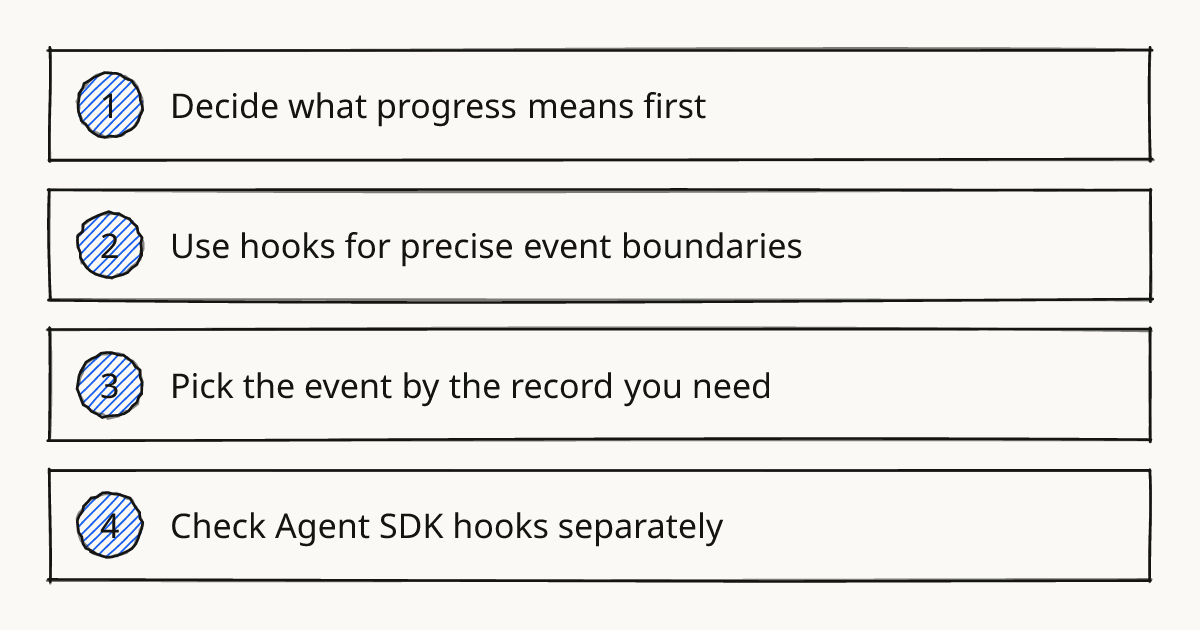
Decide what progress means first
Progress can mean a file edit, a command result, a model response, or the agent trying to finish. Those are different moments in the agent loop, so one hook cannot be the right answer for every team.
If the record is meant for review, the durable place is usually the repo. A short instruction in AGENTS.md can tell the agent to prepend a line to changelog.md after every meaningful change. Use an ADR when the change needs more context.
In our methodology, this sits between Review and Document. The record should make the next human decision easier.
Rolling this out in your team?
We train engineering teams on their own codebase in two days. Cursor setup, shared rules and review included.
Use hooks for precise event boundaries
Cursor hooks observe, control, and extend the agent loop with scripts defined in hooks.json at the project or user level. The Cursor hooks docs name the event boundaries and explain that hooks can observe or block behavior.
The useful part is precision. A hook after a tool call can format or append evidence. A stop hook fires when the agent tries to finish, so it is closer to a completion checkpoint.
The docs also show a concrete shell-control example: a hook checks whether a command contains git and returns a denial message telling the agent to use the GitHub CLI instead. That is the right kind of job for a hook because the event boundary is clear.
Pick the event by the record you need
| Cursor hook event | Use it when | Limit |
|---|---|---|
postToolUse |
You want to record evidence after a tool call finishes. | It can be noisy if every tool call counts as progress. |
afterFileEdit |
You only care about file changes. | It will miss planning, shell output, and final reasoning. |
afterShellExecution |
You want command output or test evidence in the log. | It only covers shell execution. |
stop |
You want a final summary when the agent tries to finish. | It does not give a step-by-step work log. |
beforeSubmitPrompt |
You want to validate or reject prompts before the agent runs. | It is too early to record agent progress. |
afterAgentResponse / afterAgentThought |
You want to track agent responses or thoughts. | Treat this as telemetry unless a human will actually read it. |
For most handoff logs, start with an explicit repo rule and add one hook only when a specific event needs automation. This keeps Cursor custom agents and review habits readable instead of turning the repo into an event dump. The broader Subagents and skills topic is where this kind of operating model belongs.
A minimal repo instruction can be as small as this:
After every meaningful change, prepend one line to changelog.md with the changed area, the reason, and the verification result.
If your team packages repeatable workflow knowledge, a Cursor skill can carry the same convention for related repos. See Use Cursor Skills in Team Repos for that pattern.
Check Agent SDK hooks separately
The Agent SDK hooks reference uses a different surface. Hooks live under bot/hooks/<name>.ts, export defineHook(...), and can handle events such as turn.completed and turn.failed.
Validate those hooks before relying on them. Run agent-sdk validate --dir .; inspect loaded hooks with agent-sdk info --dir . --json; and reproduce runtime failures with agent-sdk run --dir . --message "…".
The SDK docs also point to a better fit for PR progress: githubChannel({ progress: { commitStatus, banner } }). Use that when the goal is a merge-box check or a sticky PR banner rather than a repository log.
Common questions
Can sessionStart or sessionEnd write the progress log?
They are poor defaults for this job. Cursor documents that sessionStart is deferred while cloud agents can start in a read-only environment, and sessionEnd is tied to the IDE session rather than a cloud agent chat.
Further reading
Make the next handoff readable
Add the repo instruction first, then add a single hook only when the event boundary is clear. Review one completed agent task and remove any log line a teammate would not use.
Related research
Train your team on Cursor
Two days on your team's own repository, onsite or remote, with a written proposal before you commit.
Book a callPrefer to measure first? Take the free team check.